Loading...

Thank you for your message

It has been sent successfully. If you would prefer to book a meeting right away, choose your preferred time.

Successfully sent

Your e-mail has been successfully subscribed to the newsletter

Want to know more?
Let's meet up!

What will happen after completing the questionnaire?

  1. We will contact you with an offer of dates
  2. Together, let’s take a look at how Symfio can help you and how the app works
  3. Let’s take a look at your current financial management system
  4. We will agree on the terms of cooperation and possible customization to suit your needs
  5. We will guide you through the entire implementation process

By submitting you confirm that you are aware of the processing of personal data.

Choosing dimensions

Dimensions decide which rows you plan by. Every additional dimension adds one level of breakdown. The plan is always entered at the lowest level; higher levels are totals.

1 min read Updated 15. 10. 2026
Dimension Meaning When to use it
PL Type Revenue / Expenses Always as Dimension 0. Without it the plan cannot calculate net profit.
PL Category Revenue, Gross expenses, Overhead expenses, Other revenue… A standard management budget.
PL Subcategory (and 2) Detail of a category, e.g. Personal expenses, Production costs Budgets by cost item.
Account Account from the chart of accounts A detailed budget by account. Usually many rows.
Centre, Contract, Activity Analytical dimensions from accounting Planning by cost centre, project or activity.
Company name Business partner from documents Revenue plan by key customer.
Empty The dimension is not used To end the hierarchy.

Recommendation: for a usual budget use PL Type › PL Category › PL Subcategory. Rows then match the Income statement and the plan shows in the right places. A less detailed plan (e.g. PL Type only) shows on the “Unassigned revenue / expenses” rows of the statement.
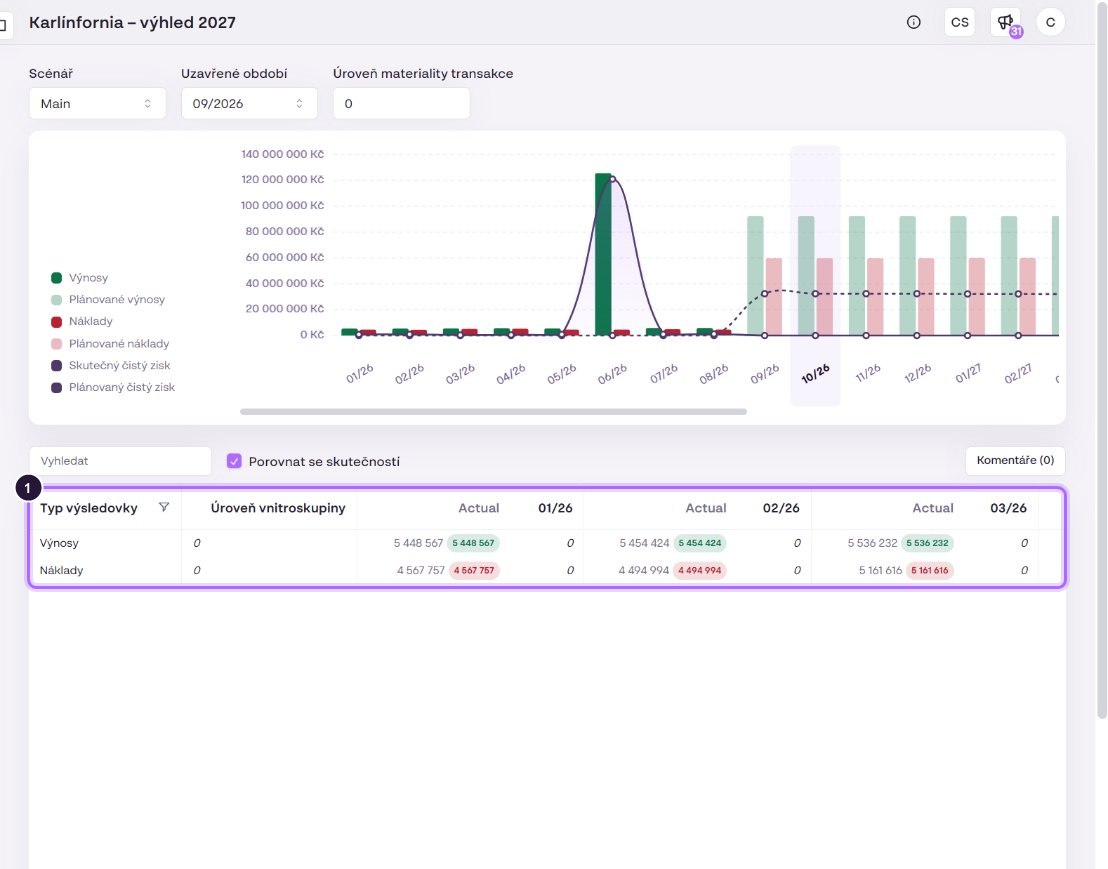
A forecast created with Dimension 0 only has two rows, Revenue and Expenses, and no buttons for expanding or adding rows.

Request quote for clear insights