- Save plan writes the scenario values to the app database immediately.
- In the background the change is propagated to the analytical warehouse, into the table you see in Source data › Financial plan: Entity, Period, Plan, Scenario, PL Type, PL Category, PL Subcategory, Account, Amount.
- Statements (Income statement, Executive summary) read the plan from this warehouse. Until processing finishes they show the last published data.
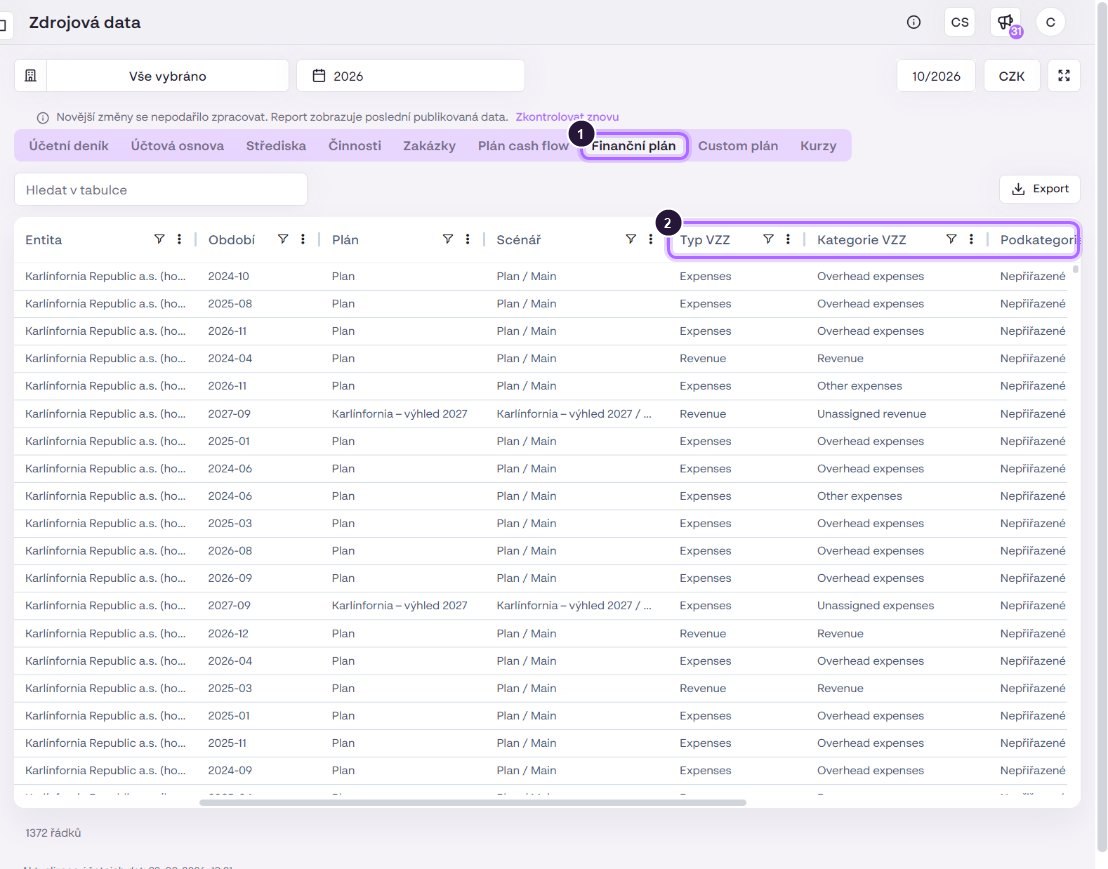
If a plan is not broken down to subcategory, the warehouse fills in “Unassigned revenue / expenses” and account “no account”. The plan then shows on the “Unassigned…” rows of the statement. Plans from external sources (Google Sheets), set up in the company detail › External sources, load into the same tabs (Financial plan, Custom plan).