Before you start
- Permissions: the connection is set up by a user with the Administrator role.
- Time required: 5–10 minutes.
- What to prepare: four values from your ABRA Flexi system – see the table.
| Value | Where to find it |
|---|---|
API company (API společnost) |
The identifier of the company (accounting unit) in ABRA Flexi. You can see it in the browser address after logging in to Flexi – it is the part after /c/; for example, for https://demo.flexibee.eu/c/demo it is demo. Enter it without diacritics, exactly as shown in the address. |
Custom attribute (Vlastní atribut) |
The URL of your Flexi server including the protocol, e.g. https://demo.flexibee.eu. For an on-premise installation it is the server address including the port (5434 by default). |
Username |
The login name of an ABRA Flexi user with access to the REST API. |
Password |
The password of that user. |
Tip: You can get the credentials from the administrator of your ABRA Flexi system. We recommend creating a dedicated read-only user for Symfio – the connection then does not depend on an employee’s personal password and is not interrupted when it changes.
Creating the data source
- Open Companies, select a company and click the Data sources tab.
- Click + Add data source.
- In the Data source type step, select ABRA Flexi API.
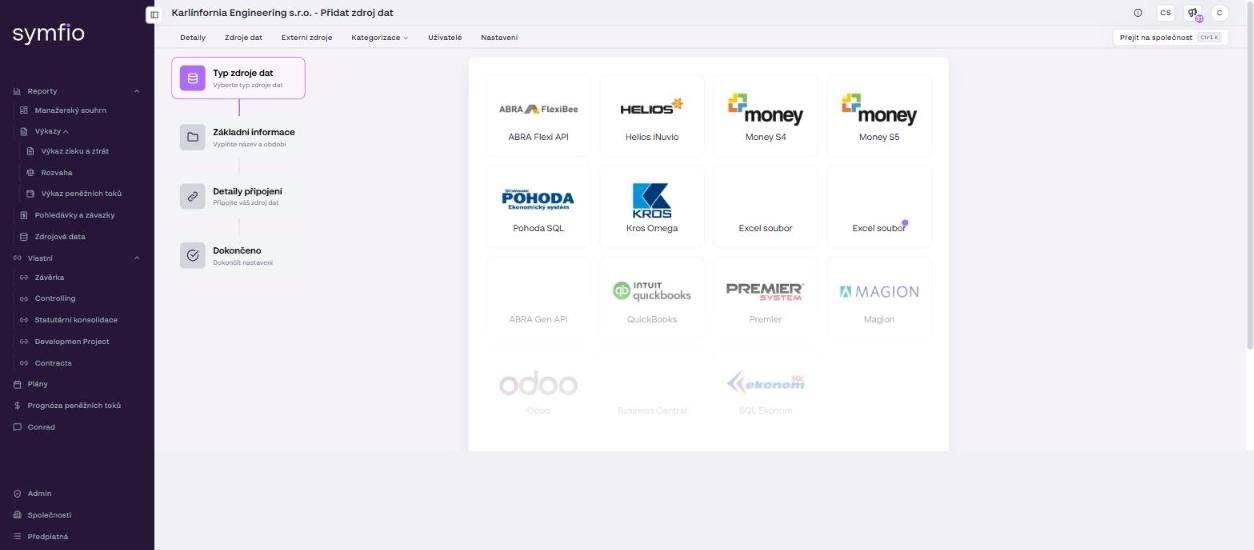
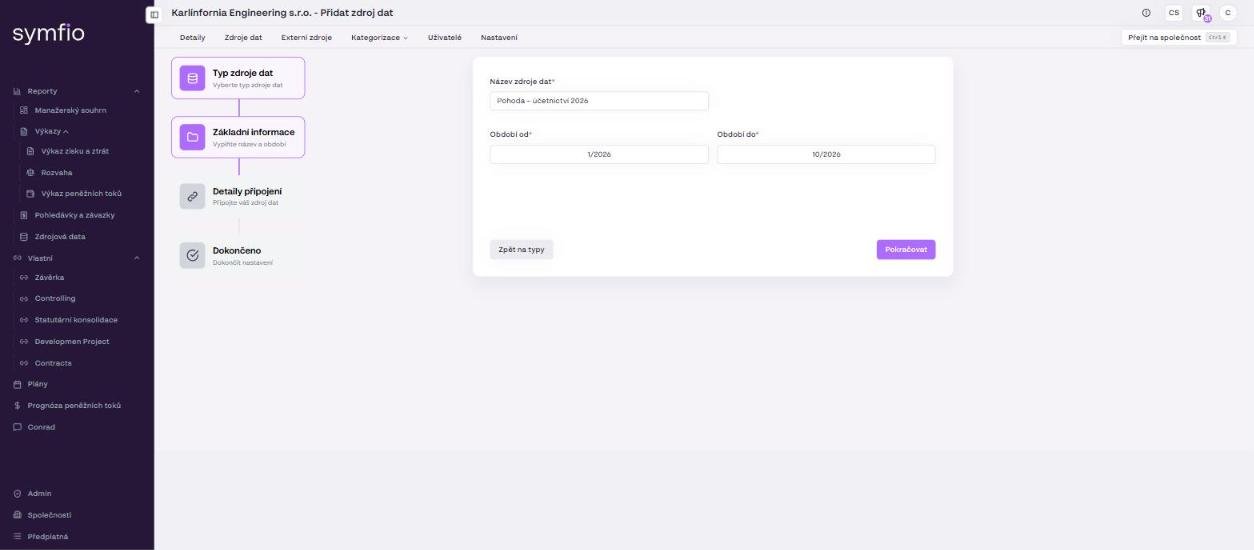
Basic information
- In the
Data source namefield, enter any name for identification, e.g. “ABRA Flexi – Karlínfornia”. - Select
Period from– the first month from which you want to pull data (e.g. the first month of the previous fiscal year if you want year-over-year comparisons). - Select
Period to– the last month to be loaded. Set it far enough ahead so that newly posted months are pulled as well. - Click Continue.
Connection details
- Fill in
API company– the company identifier in Flexi. - Fill in
Custom attribute– the URL of the Flexi server. - Fill in the
UsernameandPasswordof the user with API access. - Check the entered values and click Continue, then click Finish in the Done step.
Note: The values must exactly match the configuration of your Flexi server. With a wrong company identifier, address or password the connection fails and no data is loaded.
After finishing
The new source appears in the data sources table with the status Connected. Symfio starts pulling and processing the accounting data automatically; it usually appears in the reports within 60 minutes. You can see the time of the last load in the Last updated column and in the report footer (“Accounting data update”). Further refreshes run automatically.
After the first load, check the number of journal entries and the chart of accounts in the Source data report and assign new accounts in Categorization › Mappings.
Tips and common mistakes
| Problem | Solution |
|---|---|
| Connection failed | Check the URL (including https:// and the port, if any), the company identifier and the credentials. Verify that you can log in to Flexi in a browser with the same values. |
| Data missing for a certain period | Verify that the selected Period from / Period to covers the months you expect in Flexi and that documents are posted in that period. |
| Data stopped refreshing | Most often the API user’s password expired or was changed. Use a dedicated user for Symfio. |
| I do not know the API credentials | Contact the administrator of your ABRA Flexi system. |
Warning: If you previously uploaded data from Excel for the same period, deactivate the old source via the ⋮ menu. Otherwise the overlapping months will be counted twice in the reports.
Frequently asked questions
We have several companies (accounting units) in Flexi. How do I connect them?
Each accounting unit is a separate company in Symfio with its own data source. Create the company, add an ABRA Flexi API source to it and enter the identifier of the respective company in API company.
Can Symfio write anything into Flexi?
No. The connector only reads data. A read-only user is therefore sufficient.
How often is the data refreshed?
Automatically and regularly, without any action on your part. The exact time of the last refresh is shown in the Last updated column and in the footer of every report.