Before you start
- Permissions: a source is connected by a user who has access to that system. Conrad reads only what your login allows.
- Time required: 2–5 minutes per source.
- What to prepare: your login to the system you want to connect; for a custom MCP server its URL.
Built-in source: Symfio accounting
Symfio accounting is built in and always active. It contains statements, the journal, plans, receivables and payables, account mapping and other data you see in reports, always according to your permissions.
Adding a data source
- In Conrad click Data sources in the header, Add data source in the left panel, or Browse all sources.
- In the Add data source window find the system by category on the left or with Search sources.
- Select the source and click Continue to sign-in.
- The sign-in page of the selected system opens. Sign in and allow access.
- In the last step, Set scope and access, decide what Conrad may read from the system.
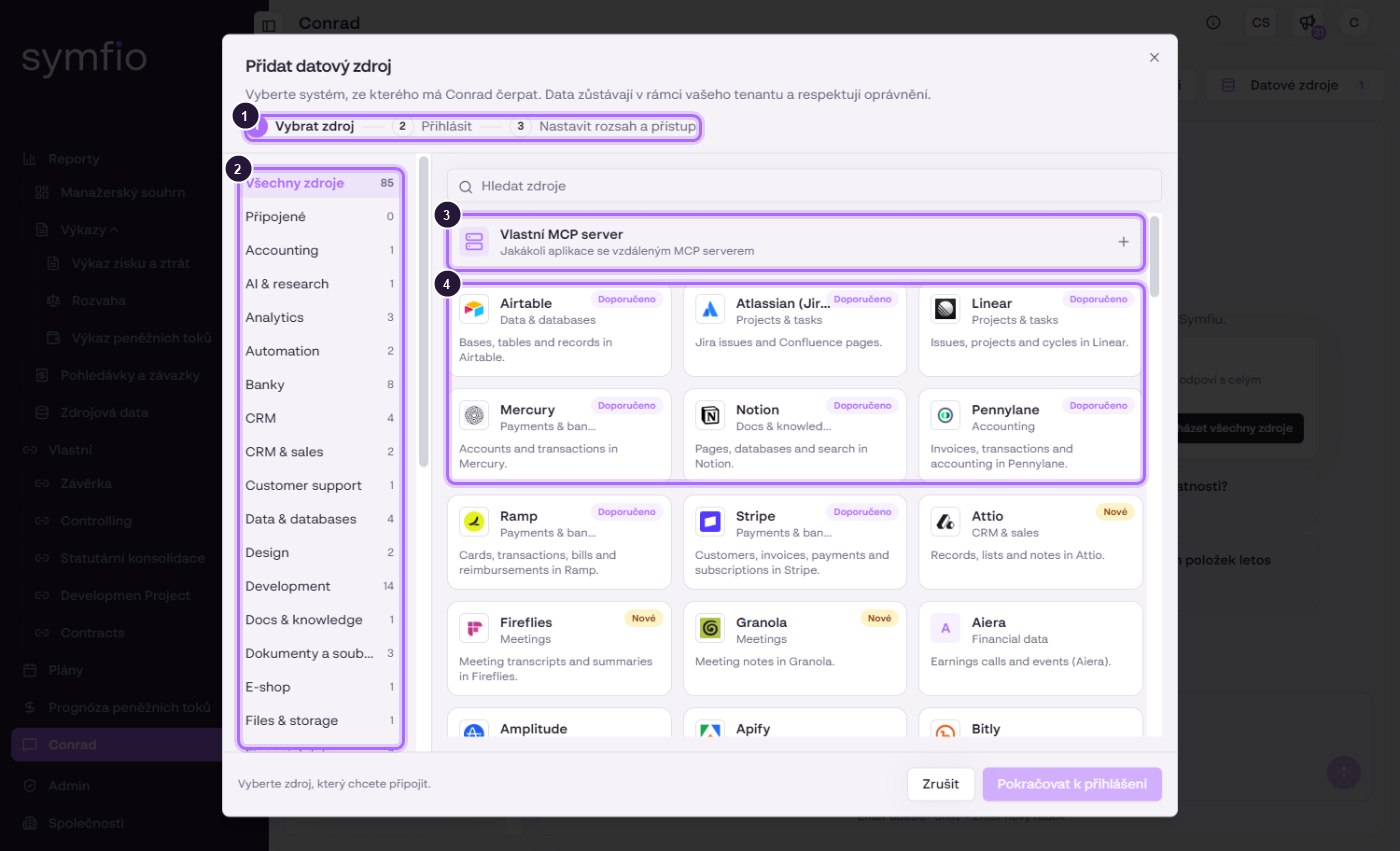
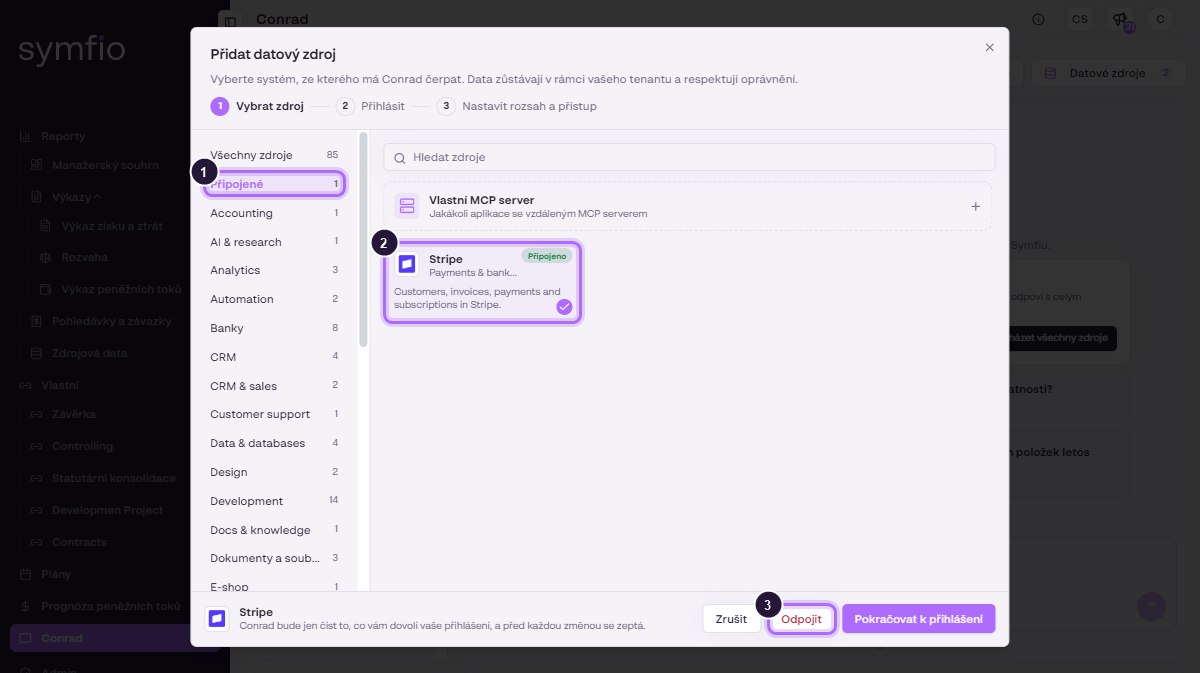
- Three steps of the wizard: Select source, Sign in, Set scope and access.
- Source categories with counts, including Connected.
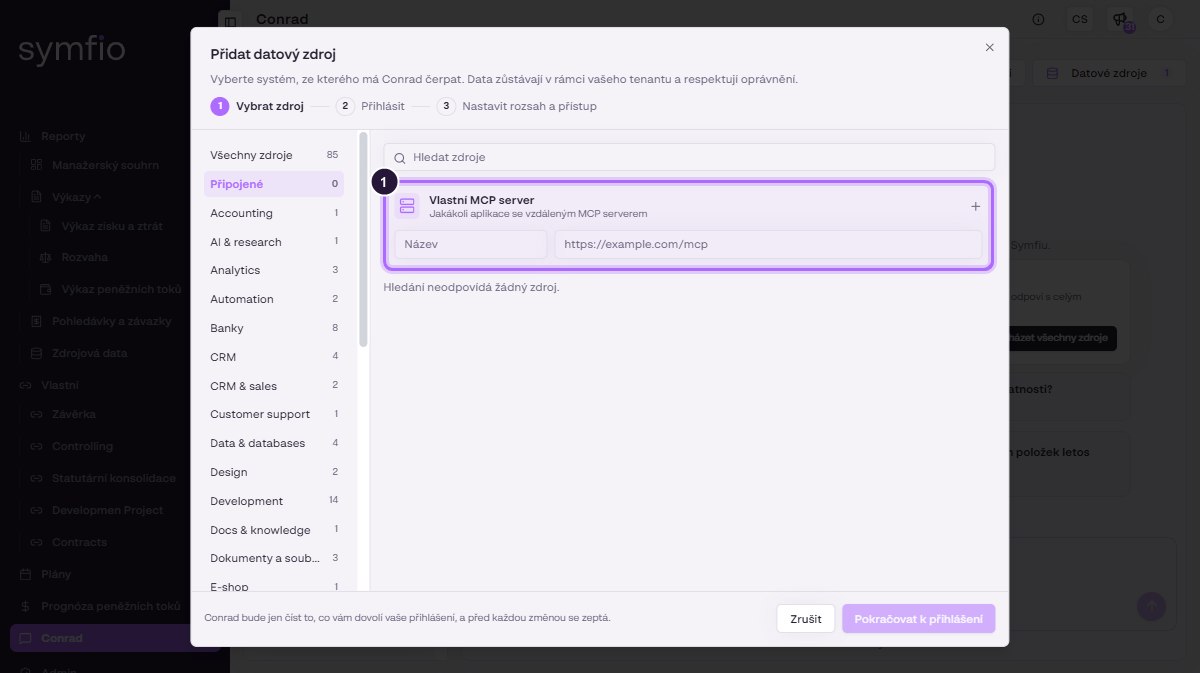
- Custom MCP server for any application with a remote MCP server.
- Source cards. The Recommended or New badge highlights selected sources.
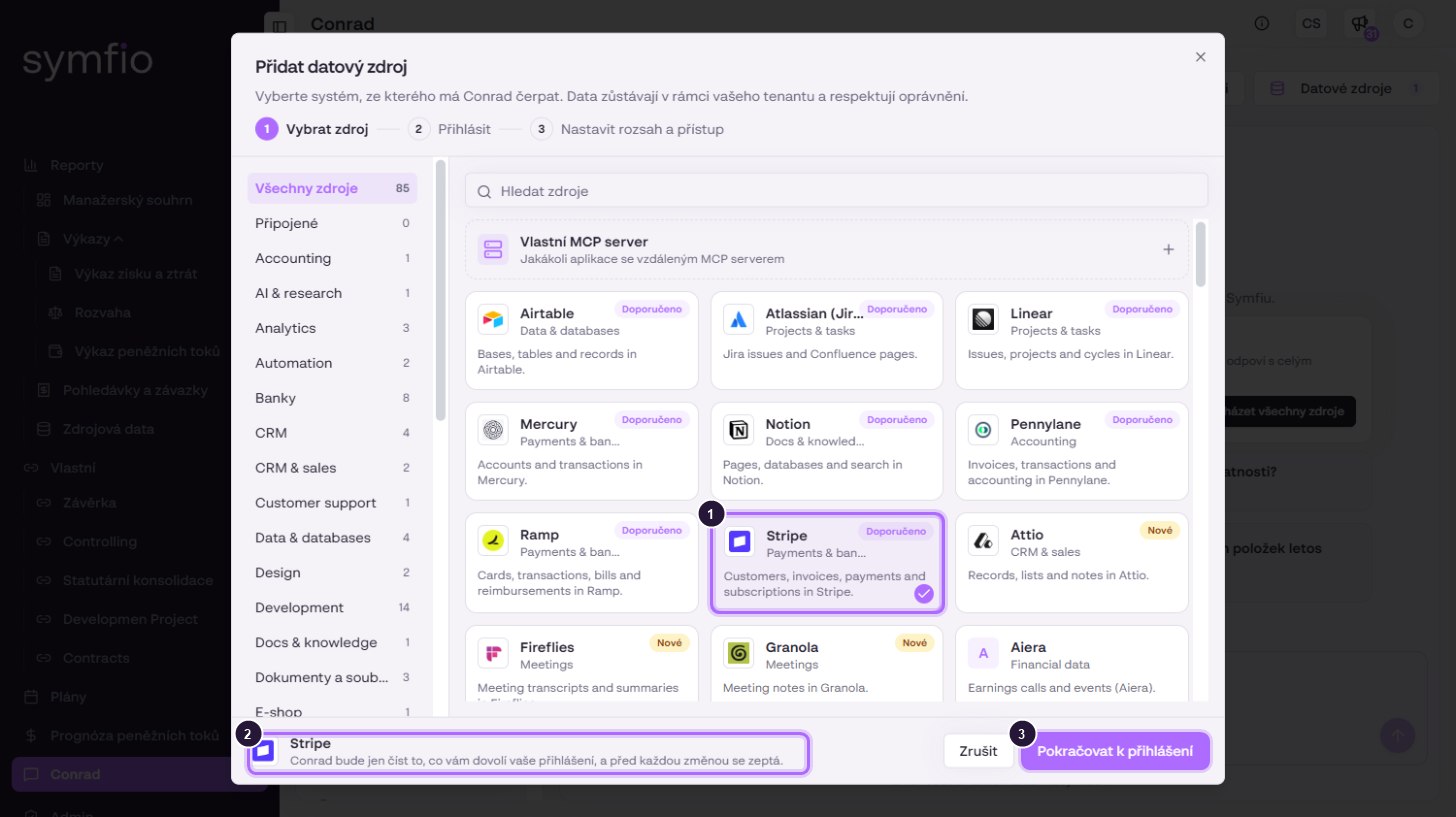
- The selected source is highlighted with a check mark.
- Conrad will only read what your sign-in allows and will ask before every change.
- Continue to sign-in opens the sign-in of the system.
Which sources can be connected
| Area | Example sources | What Conrad uses them for |
|---|---|---|
| Payments and accounting | Stripe, PayPal, Mercury, Ramp, Plaid, Pennylane | Matching payments and invoices with accounting, card spend |
| Documents and knowledge | Notion, Atlassian (Jira, Confluence), Airtable, Egnyte | Contracts, policies, budget inputs, project tasks |
| Meetings | Fireflies, Granola, Otter.ai | Management decisions next to the numbers |
| CRM and sales | Attio, Close CRM | Pipeline and expected revenue |
| Market data | FactSet, Morningstar, S&P Global, CoinGecko | Market comparison, rates, crypto |
| Projects and automation | Linear, ClickUp, Todoist, Zapier, Make | Tasks linked to closing and approvals |
Coming soon: Czech and Slovak systems are marked Soon in the catalog and cannot be connected yet: banks (Česká spořitelna, ČSOB, Fio banka, Komerční banka, Raiffeisenbank, Slovenská sporiteľňa, Tatra banka, VÚB), HubSpot, Pipedrive, Raynet CRM, Realpad, Google Drive, OneDrive, SharePoint, Daktela, Microsoft Teams, Revolut Business, Wise Business, Caflou, Costlocker, wflow, Shoptet and Sloneek. If a system is missing entirely, use Request an integration in the window.
Custom MCP server
If your application has a remote MCP server, click Custom MCP server, fill in the Name and the server URL (e.g. https://example.com/mcp) and continue to sign-in.
Sources in a conversation
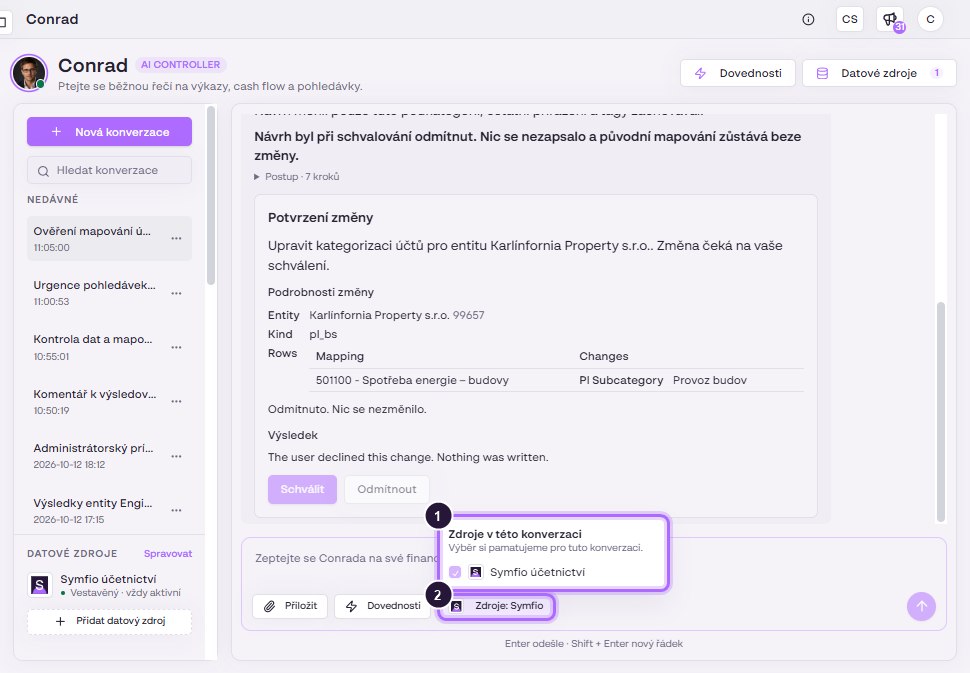
The Sources button in the input field sets which connected sources Conrad uses in the current conversation. Symfio remembers the choice for that conversation.
Managing and disconnecting
- In the left panel click Manage next to Data sources.
- Select the Connected category and click the source.
- Disconnect removes the source, Continue to sign-in renews the sign-in.
Interrupted sign-in: the source is registered as soon as you click Continue to sign-in. If you do not finish signing in, it stays in the panel with the status “Sign-in expired”. Either finish signing in or disconnect the source.
FAQ
Will colleagues see data from a connected source?
Data stays within your tenant and respects permissions. Conrad reads only what the login used for the connection allows.
Can Conrad change something in a connected system?
It asks before every change. Nothing is written without your approval.