Loading...

Thank you for your message

It has been sent successfully. If you would prefer to book a meeting right away, choose your preferred time.

Successfully sent

Your e-mail has been successfully subscribed to the newsletter

Want to know more?
Let's meet up!

What will happen after completing the questionnaire?

  1. We will contact you with an offer of dates
  2. Together, let’s take a look at how Symfio can help you and how the app works
  3. Let’s take a look at your current financial management system
  4. We will agree on the terms of cooperation and possible customization to suit your needs
  5. We will guide you through the entire implementation process

By submitting you confirm that you are aware of the processing of personal data.

Scenarios

Every plan starts with the Main scenario. Further scenarios (optimistic, pessimistic, a variant with an acquisition) have their own values, added rows and comments but share the structure and history.

1 min read Updated 15. 10. 2026
  1. Open the Scenario field and choose the add-scenario option.
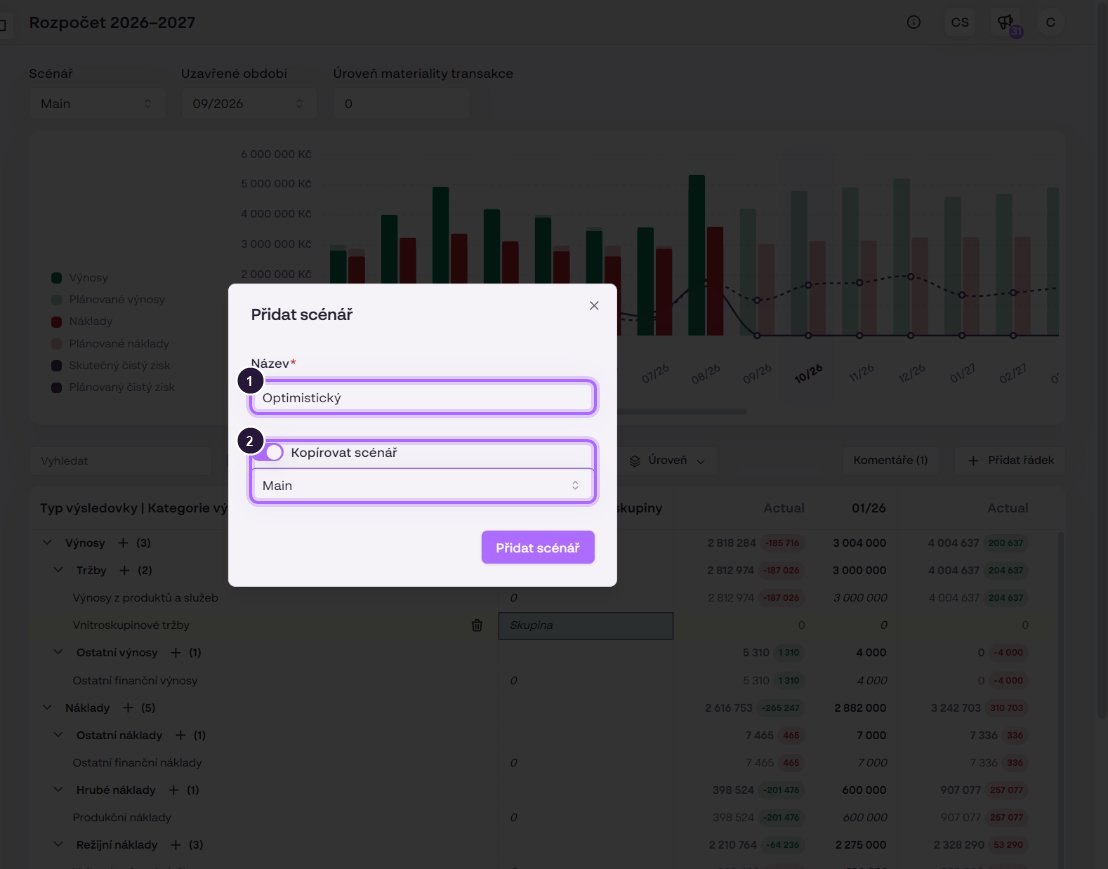
  2. Enter the Name.
  3. To start from existing numbers, switch on copying a scenario and choose the source.
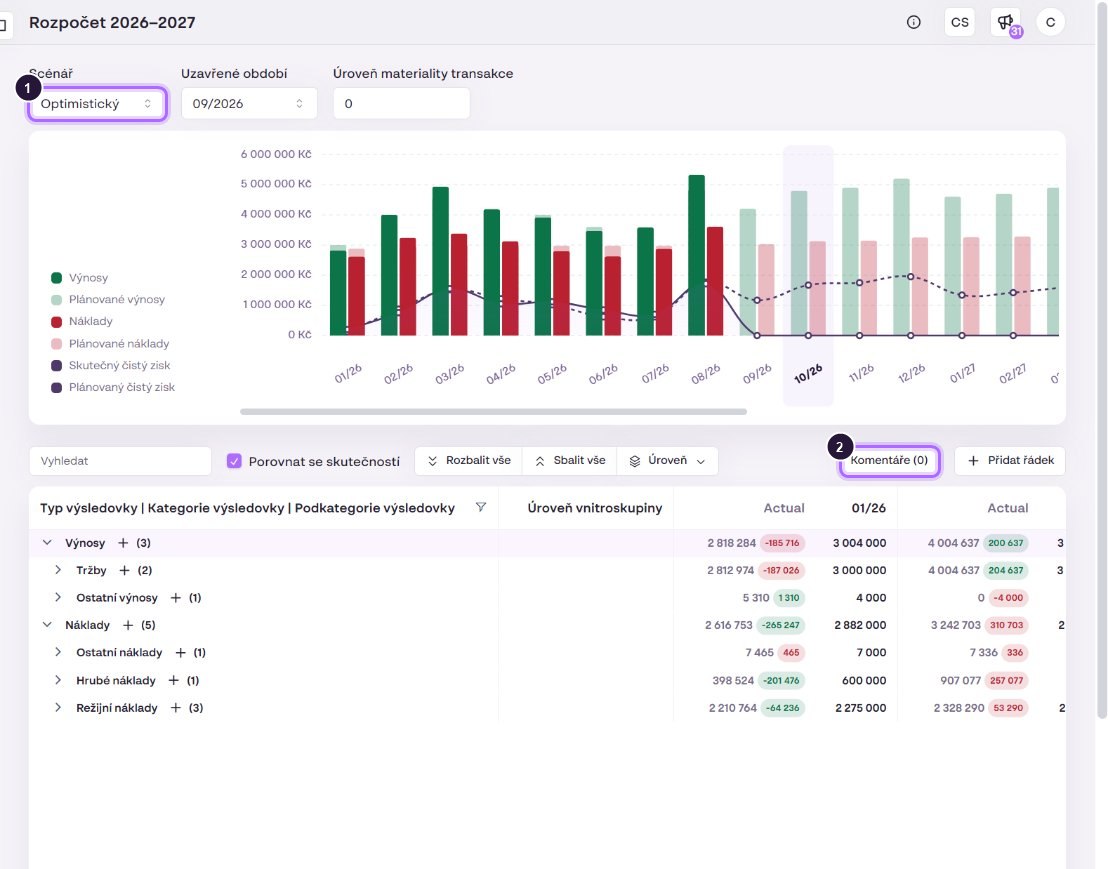
  4. Confirm. The new scenario opens right away.
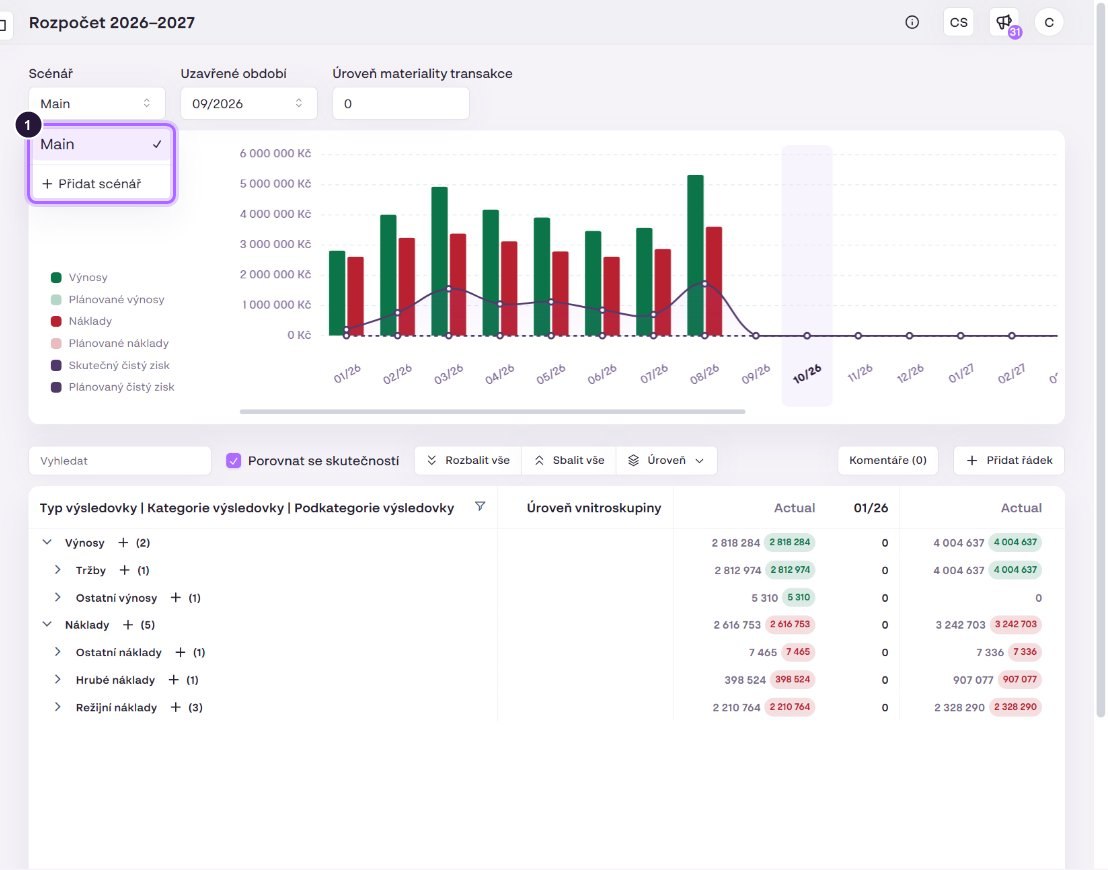
The scenario menu.
The scenario menu.
A new scenario as a copy of Main.
The “Optimistic” scenario took over the values from Main. Comments are not copied (0).

Request quote for clear insights