Loading...

Thank you for your message

It has been sent successfully. If you would prefer to book a meeting right away, choose your preferred time.

Successfully sent

Your e-mail has been successfully subscribed to the newsletter

Want to know more?
Let's meet up!

What will happen after completing the questionnaire?

  1. We will contact you with an offer of dates
  2. Together, let’s take a look at how Symfio can help you and how the app works
  3. Let’s take a look at your current financial management system
  4. We will agree on the terms of cooperation and possible customization to suit your needs
  5. We will guide you through the entire implementation process

By submitting you confirm that you are aware of the processing of personal data.

Closed period, materiality and levels

Three display settings help you work with larger plans. They change only what you see, not the data.

1 min read Updated 15. 10. 2026

Closed period

The last month taken as actuals. Up to and including it, months have an Actual column; from the next month you plan. The default is the previous calendar month. The setting applies to you and the plan in this browser and does not change it for other users.
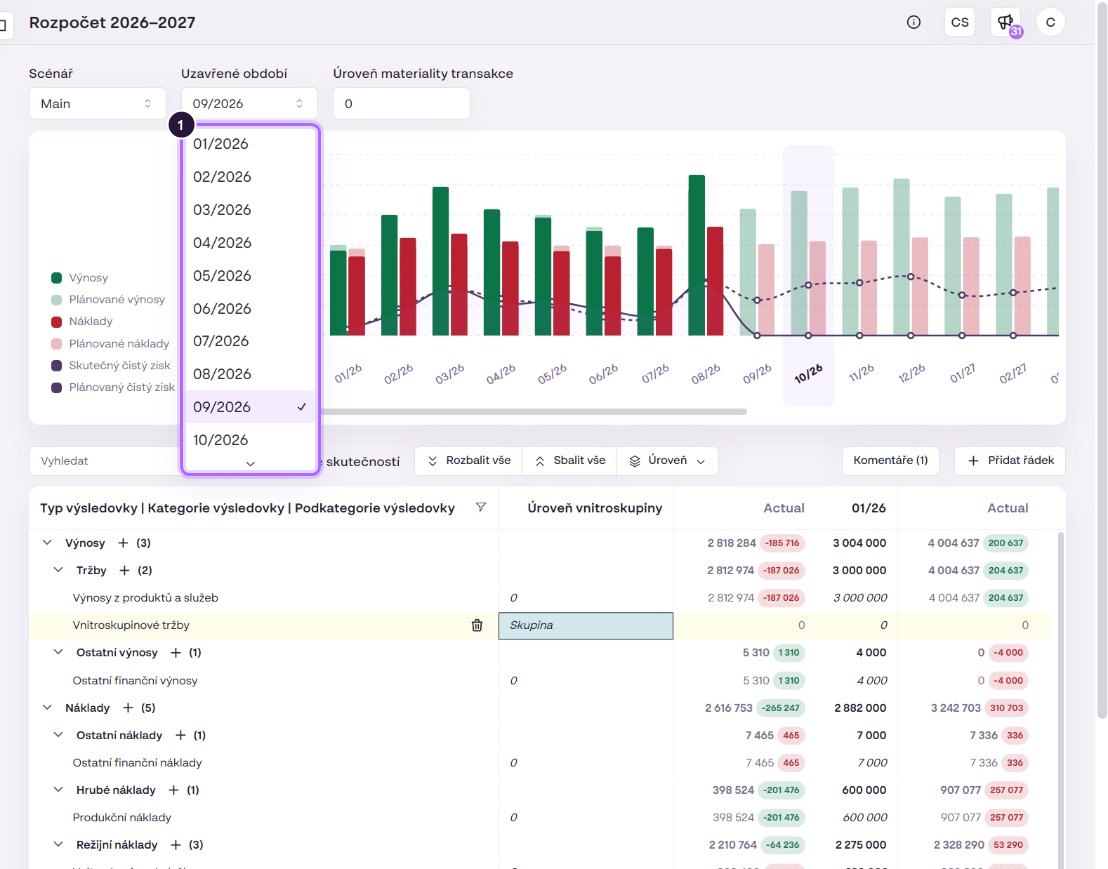
Choosing the closed period.

Materiality level

Rows whose values stay below the entered amount are merged into an Other row, which makes the table easier to read. 0 turns materiality off.
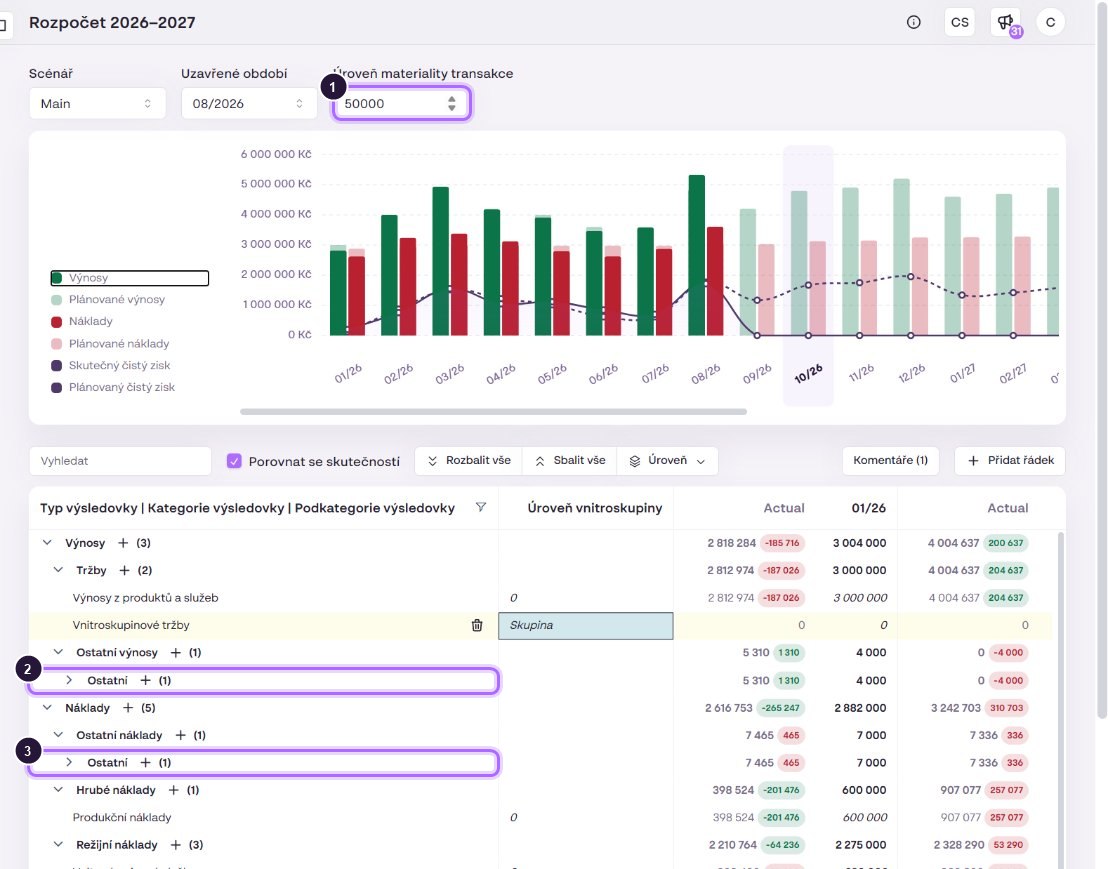
Materiality CZK 50,000: small financial revenue and expenses merged into “Other”.

Level, expanding, search

Level expands the table to the chosen dimension (e.g. PL Category only). Expand all and Collapse all open or close all levels. The search field and the filter icon in the first column header filter rows by text.
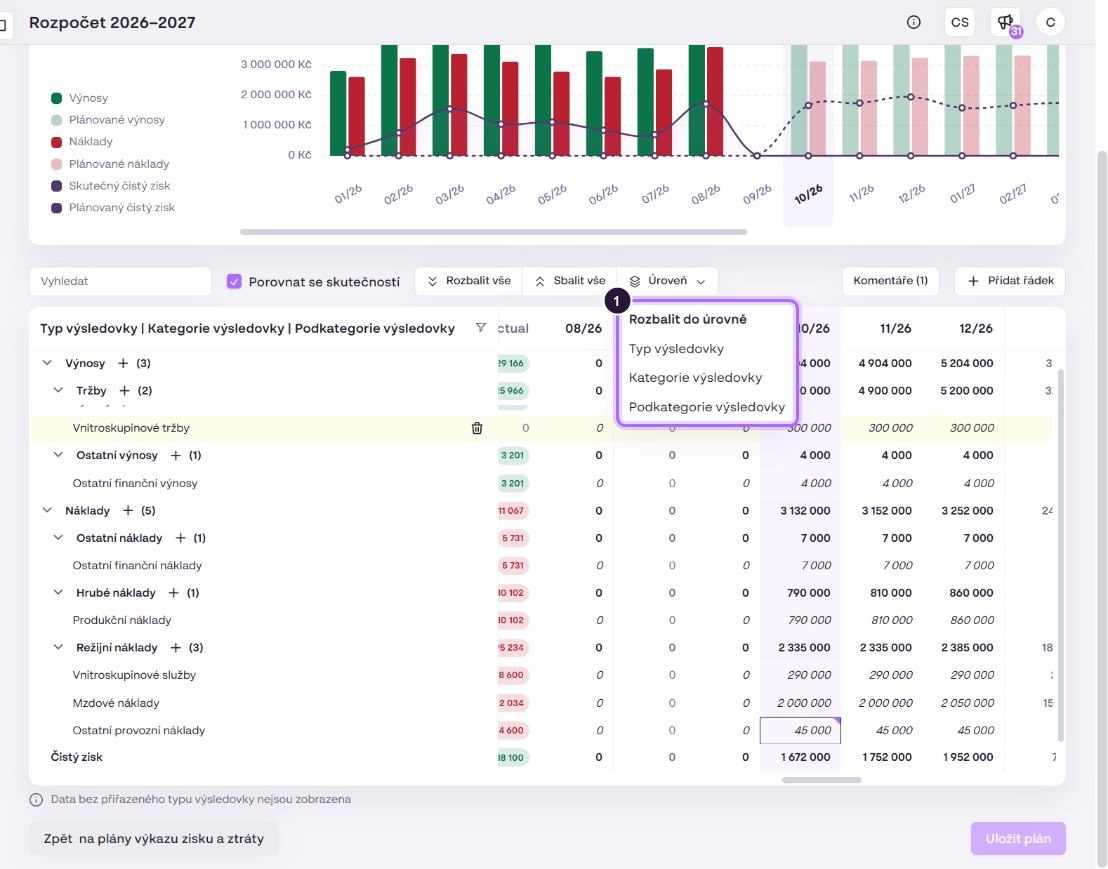
The “Expand to level” menu.

Request quote for clear insights