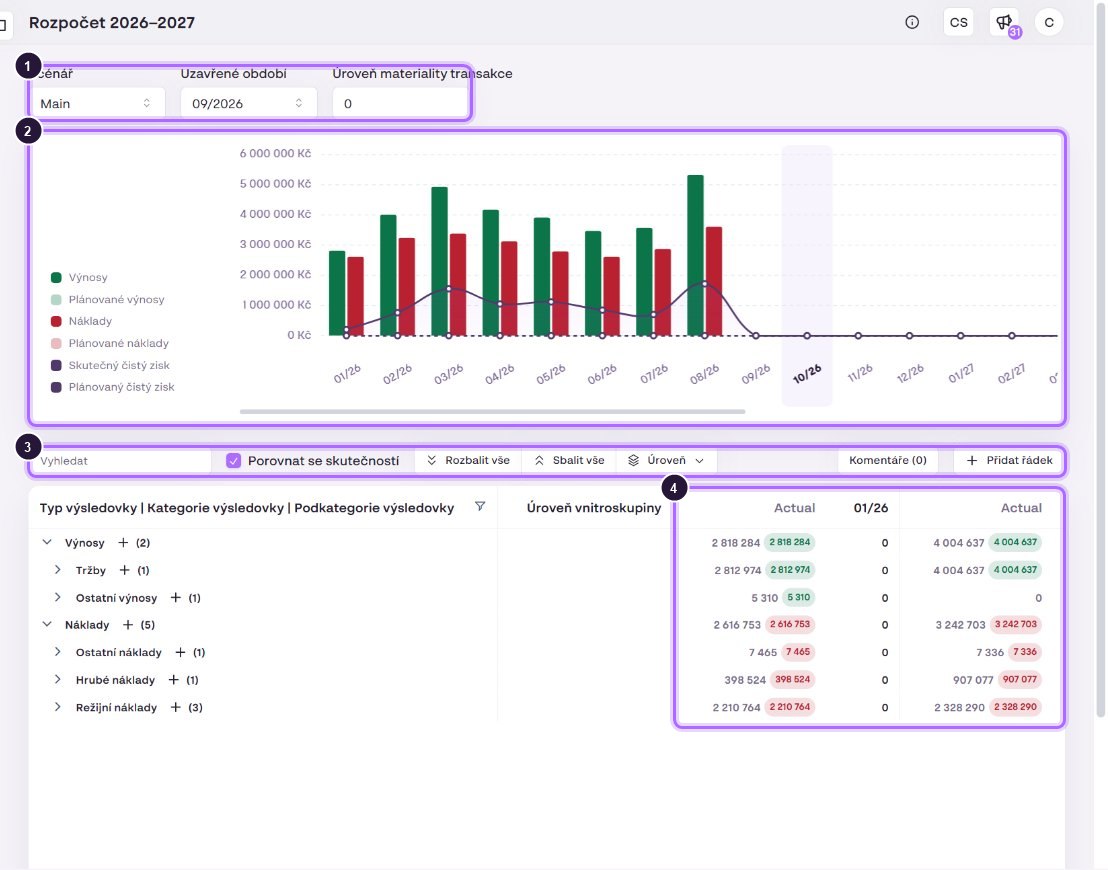
- Scenario, Closed period and Materiality level.
- Chart: actual and planned revenue and expenses (bars) and net profit (line; solid = actual, dashed = plan). The current month is highlighted.
- Toolbar: search, Compare with actuals, Expand all, Collapse all, Level, Comments, Add row.
- Monthly columns. Closed months show Actual + plan, open months only the plan. Each year ends with a yearly total.
Below the table there is the Net Profit row (revenue minus expenses) and the note “Data without assigned PL Type are excluded”. At the bottom you find Back to income statement plans and Save plan.
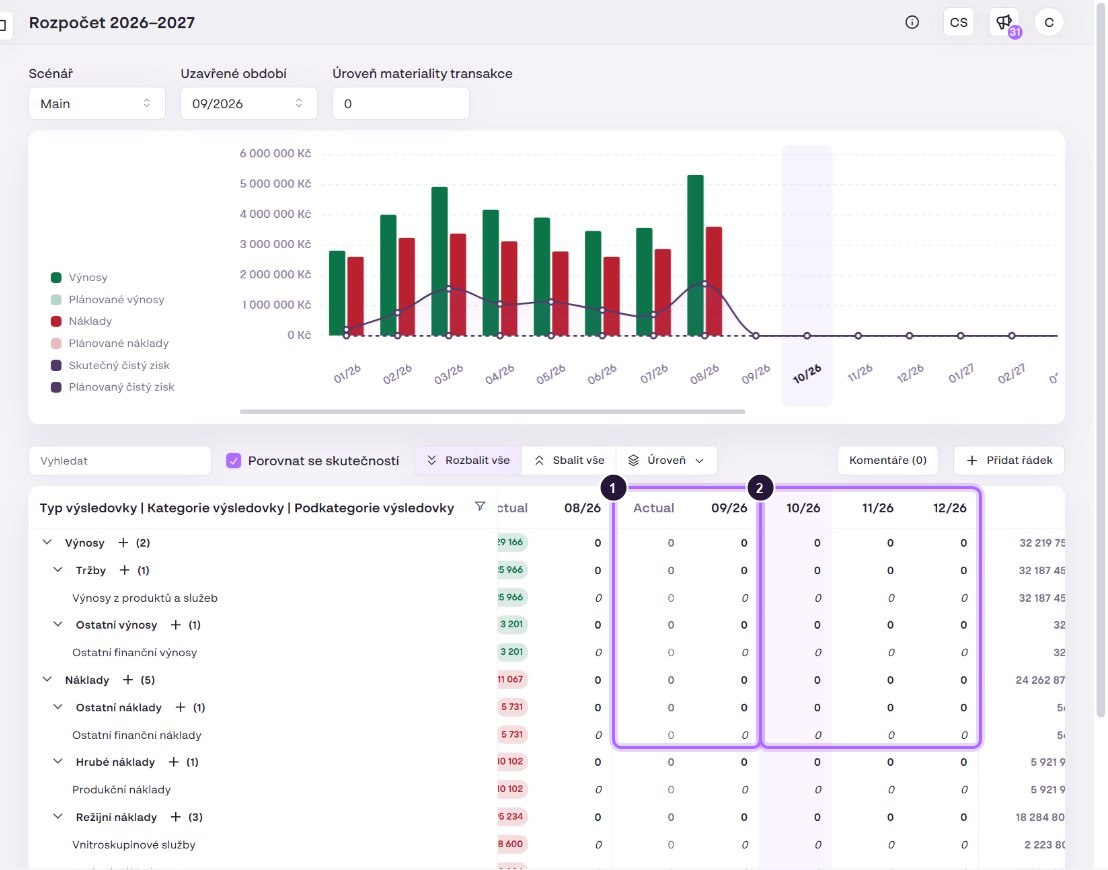
- Closed months (up to 09/2026): actual + plan.
- Open months: plan only. This is where you plan.