Before you start
- Permissions: editing the company detail (the Links section) is done by a user with the Administrator role.
- Time required: 3 minutes.
- Have ready: a finished artifact in Claude and an account that can publish it.
In a nutshell: share the artifact → Get embed code → enter the Symfio domain in Allowed domains → Copy code → in Symfio Companies → company detail → Links → + Add link and tick show in menu.
1. Open artifact sharing and get the embed code
- Open the artifact in Claude and choose Share / Publish.
- Publish the artifact as Published (Public).
- In the Artifact published window click Get embed code at the bottom.
2. Enter the Symfio domain in “Allowed domains”
- In the Allowed domains field enter the domain Symfio runs on and that may display the artifact:
go.symfio.app - Separate several domains with a comma.
Warning: the artifact is displayed only on the domains listed in this field. If the domain is missing or misspelled, you will see an empty window in Symfio.
3. Copy the code
- Click Copy code. The code is copied to the clipboard.
- You will paste it into a link in Symfio in the next step.
4. Add the link to the company detail in Symfio
- Click Companies in the left menu and open the company detail.
- On the Details tab, in the Links section, click + Add link.
- Fill in the link name (the Value field) that will appear in the menu, for example Cashflow report.
- Paste the code copied in step 3 into the URL field.
- Tick Show in menu.
- Confirm with Add link.
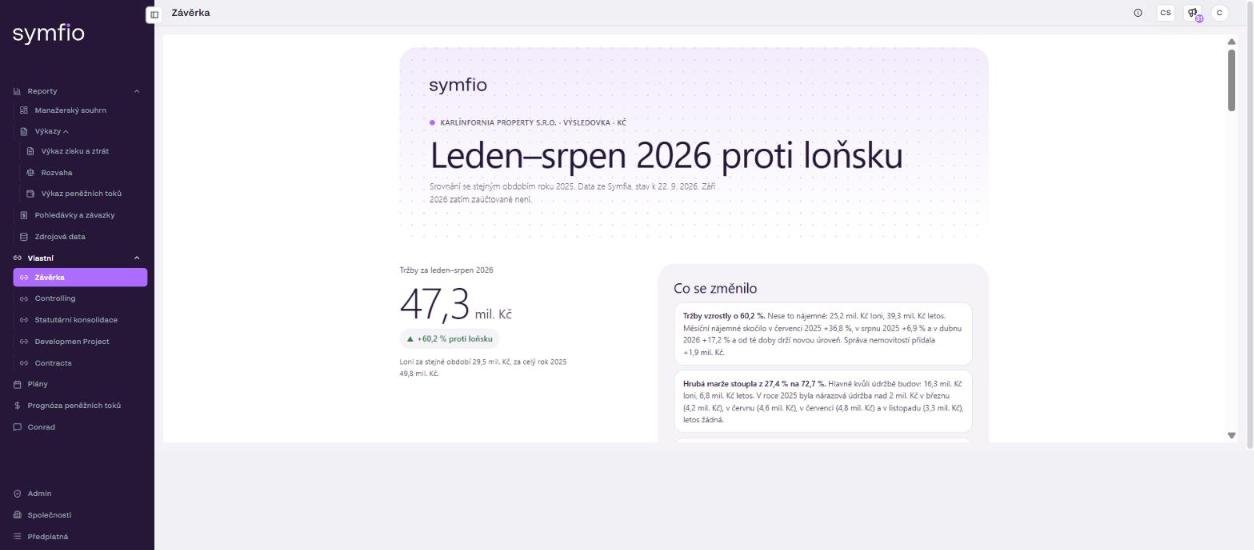
Done: the artifact appears in the left menu in the Custom section for that company and opens directly in Symfio, like the Závěrka report in the demo.
Check before saving
- The artifact is Published (Public).
- Allowed domains contains exactly
go.symfio.app. - The URL field contains the code copied via Copy code.
- Show in menu is ticked.
Tips and common mistakes
Links are not limited to artifacts: in the same way you can add a regular external link to the Custom menu, for example to a contracts folder on SharePoint (the Contracts item in the demo). In that case paste a normal web address into the URL field.
Data in the artifact: an artifact is a static snapshot. If you want Claude to work from current Symfio data, connect it to the Symfio MCP server and regenerate and republish the artifact after the data is refreshed (the embed code stays the same if you update the same artifact).
Frequently asked questions
I see an empty window instead of the report. What now?
Most often the domain in Allowed domains is missing or misspelled. It must be exactly go.symfio.app. Also check that the artifact is published as Published (Public).
Who sees the artifact in Symfio?
Users with access to the company see the link in the Custom menu. The artifact itself is published publicly on the Claude side, so do not put sensitive data into it without consideration.
Can I add comments to the embedded report?
Custom static reports in the Custom menu support comments, see Comments in static reports.