What a subscription is
Every company in Symfio belongs to exactly one subscription. A subscription typically corresponds to one customer or one group of companies – it holds all of their companies and the users who work with them. This gives the Symfio team a clear picture of which companies and services belong together and how they are billed.
- Companies – every new company is assigned to a subscription when it is created.
- Users – users invited to the companies of a subscription are part of it; permissions, however, are always set per company.
- Billing – paid services such as income statement plans and cash flow forecasts are charged to the subscription according to the price list.
The Subscriptions page
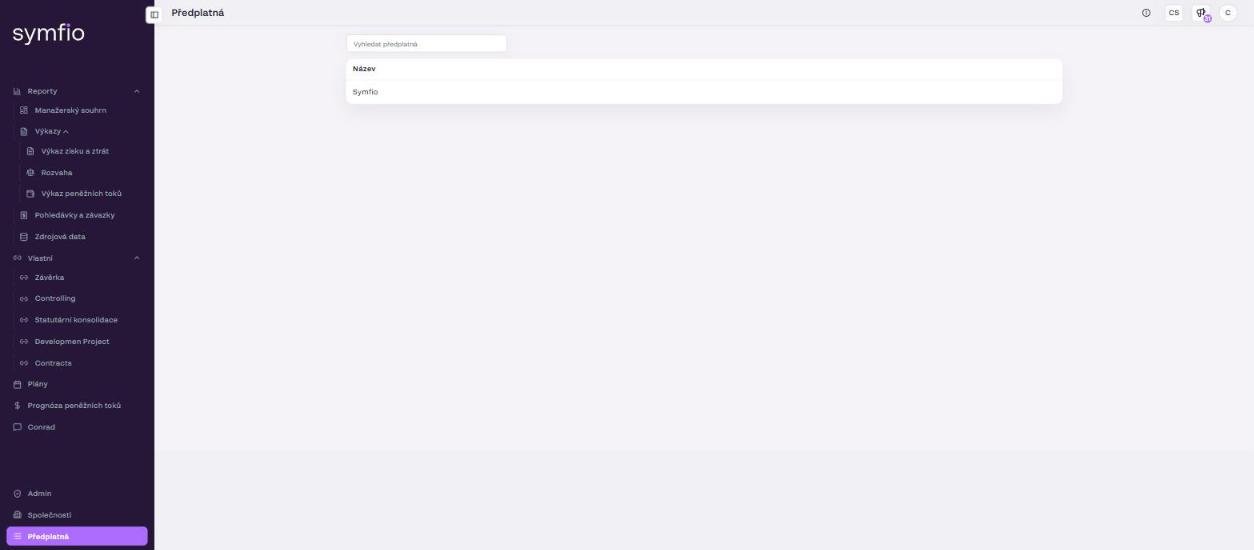
- Click Subscriptions at the bottom of the left menu.
- Review the list of subscriptions in the Name column. If you have several, use the Search subscriptions field.
- Use the subscription name when creating a new company (see below).
Choosing a subscription when adding a company
- Open Companies › + Add company.
- In the first field, Subscription, select the subscription the new company should belong to.
- Complete the form as described in Adding a company.
When editing a company (Edit company), the subscription is pre-filled according to the current assignment.
Billing of plans and forecasts
Note: The Plans and Cash flow forecasts pages show a bar stating that by creating a plan you agree that it will be invoiced at the beginning of the following week according to the price list. Creating a plan or forecast is therefore a paid service charged to your subscription. The current price list is available at symfio.app/pricing.
Changing a subscription
You cannot create a new subscription, move a company between subscriptions or change the scope of services yourself in the application. Contact the Symfio team (Customer Success) and state the name of the subscription and the companies affected by the change.
Frequently asked questions
Do I need a separate subscription for each company?
No. One subscription usually covers all companies of one customer or group. Separate subscriptions make sense, for example, when billing needs to be split.
Where can I see what plans and forecasts cost?
Prices are listed at symfio.app/pricing. A plan is invoiced at the beginning of the week following its creation.
Can I change the subscription of an existing company?
The Subscription field is also available when editing a company. However, we recommend agreeing any move between subscriptions with the Symfio team in advance because of billing.